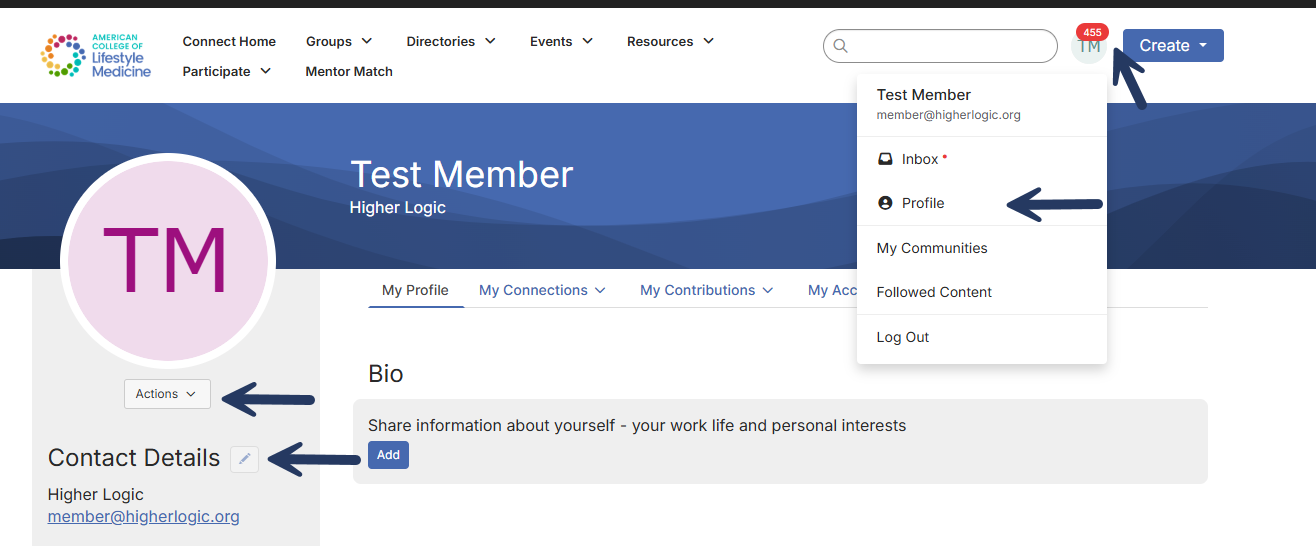
Click on your profile icon in the top right-hand corner
Select Profile from the dropdown menu
Click on Actions to add a profile photo
Click on the edit button next to Contact Details to update your contact information.
How do I add a photo to my Connect profile?
